
Everyone's a Contributor: AI Coding Agents Arrive in Jira
Everyone on the team can contribute code now, not just developers. I've configured Rovo Dev, GitHub Copilot, and Claude Code inside Jira and found real tradeoffs between them. Here's what's working, what isn't, and what I'm hoping gets easier. · See how the agents compare →
Key Takeaways
- AI coding agents in Jira let anyone on the team, not just developers, kick off real code changes and get a Pull Request back.
- Three options are production-ready today: Rovo Dev (Atlassian), GitHub Copilot (Microsoft), and Claude Code (Anthropic), each with different setup tradeoffs.
- This doesn't reduce developer workload, it clears backlog and "someday" ideas that never had a champion.
- A clean, well-structured Jira environment is a prerequisite for good agent performance, not an optional nice-to-have.
Agents in Jira feel like the future of organizing work. The ability to organize goals and then task them out to both colleagues and agents allows everyone on the team to contribute real work to projects.
As someone with a software development background and executive-level operations experience, I see these crossroads of skillsets really open possibilities across teams.
A project manager is no longer stuck waiting for small changes. A QA person can now find bugs, submit them to an agent, and review results. A product leader can iterate on ideas. The wait for the right person or the right sprint has been eliminated, especially for small, incremental changes and issues.
None of this means less work for developers from what I envision or am seeing in practice. It’s opened the doors to address those issues that sit in backlogs or an idea for someday to actually gain some traction now. Allowing everyone to contribute helps build an entrepreneurial mindset into a modern organization. The cost of trying ideas went significantly down.
Three Ways to Run Coding Agents in Jira
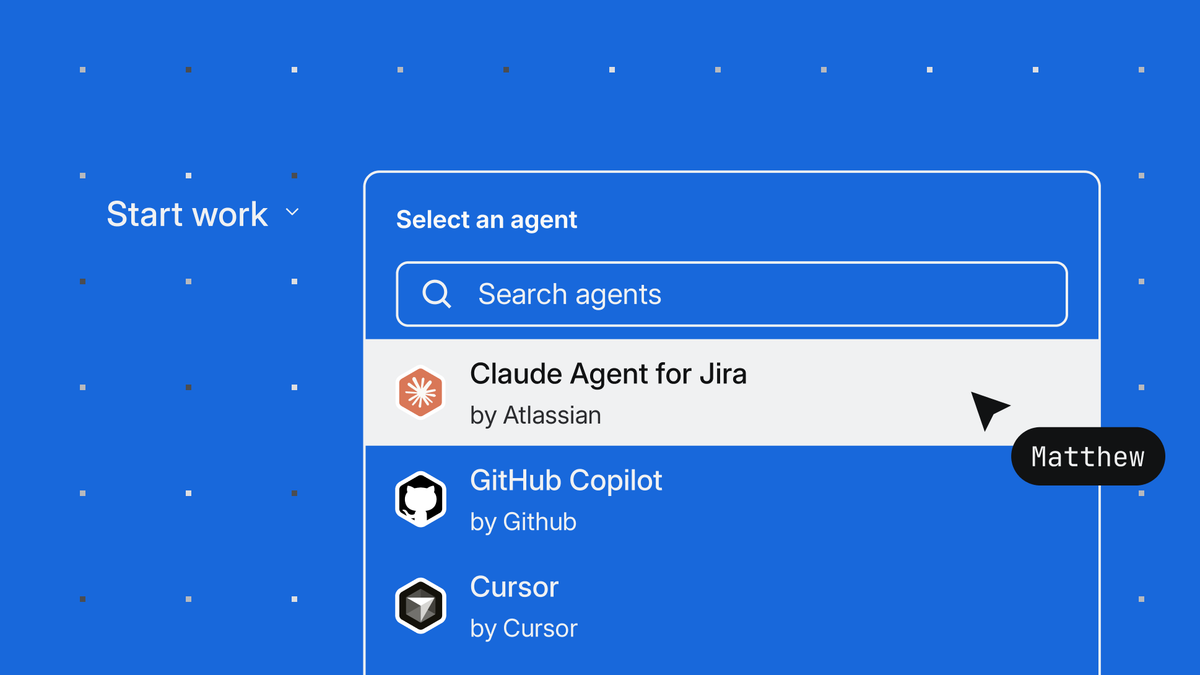
The three options I’ve seen in practice working directly in Jira are: Rovo Dev, GitHub Copilot and Claude Code. More are rolling out each day with a Cursor integration, OpenAI’s Codex, and others. Alongside the connections built into the teamwork graph, Jira remains the central place to organize ideas and understand outcomes. Each brings some nuance to what they can do but works towards the same goal. Anyone can kick off a code change and get back a Pull Request for development review.
Atlassian's Rovo Dev
Rovo Dev is Atlassian’s AI coding solution. It’s made significant progress over the last year and is ready to use out of the box. For the most basic changes, it can serve as a quick solution. Most Jira access tiers come with some level of tokens available to try. My experience is these get chewed up quickly. You can probably play with one or two ideas but then you’re going to have to be at a higher paid tier. As a proof of concept and stepping stone to the other solutions, it is a helpful, low-risk starting point.
Microsoft's GitHub Copilot
The GitHub Copilot integration opens up a whole world of possibilities with multi-modal support across all the major AI players. It is easy to configure into the system. The challenge comes with getting it set up per user. The system runs through the individual’s account so users wanting to start a GitHub Copilot agent will need to have access to a GitHub Copilot license and authenticate it into the system. This means many users like PMs who don’t typically have GitHub access will need to be set up with accounts. Once authenticated the first time, the user can freely assign agents in future work items. This setup is easy for admins but can be clunky for new users trying to get started. It’s not the end of the world but I definitely hit some speed bumps along the way that many non-technical users would give up on without 1-on-1 support.
Anthropic's Claude Code
The final option I’ve played with is the Claude Code agent in Jira. This option requires the most configuration from admins and a Claude team or enterprise organization to be set up. Once configured, this offers the most freedom to use it across the organization. Because it’s connected at the organization level in Claude, its usage is governed by the organization account rather than individuals. This makes it more like the Rovo agent where you can just configure in the background and let users assign tasks. It requires the most permissions and security understanding for your Git repository and the Claude organization. If your organization is already comfortably running Claude Code, this is the best option to blow the doors open for the rest of the team to jump in from a familiar interface.
Where I'm Hopeful This Gets Easier
- Ability to have agents automatically connect to repositories. For now, you need to tell the agents which repository to work in. With the existing development information available, it would save steps from having to provide the repository in every description or agent thread to begin the work. GitHub Copilot appears to reference this capability, though I haven't been able to locate working documentation for it.
- Organization-level configuration for GitHub Copilot. This should work closer to Rovo Dev and Claude Code. I’ve helped users with their setup and I’ve seen how easy end users will give up trying to connect everything correctly. I've also seen weird errors that caused us to hit walls. There is still polish to do here.
- More control over agent behavior. I see what looks like some placeholders to be able to provide agent direction. Skills would be a great add-on as well. The more variety and focus the agents can have would make this easier for non-technical users to kick off. For example, a QA-focused quality Claude agent to fix bugs could be more focused than just starting the generic Claude agent.
Clean Data Makes Better Agents
The other idea worth calling out is the context available to your Atlassian environment users and agents. Keeping a simple and clean Jira environment allows for agents and AI in general to be more performant. If there is a lot of bad data across the system, confusing statuses and workflows, or lack of direction given in tickets, the agents aren’t going to have any easier time than the people working the same tasks.
In other words, if you’re struggling to get your team adopting these tools, it’s time to re-think your strategy, simplify, and remove the speed bumps to make the Atlassian products work for your team.
The setup requires a strategy and direction for the teams to uplevel the capabilities in front of them. I’m already working with teams of all sizes to clean up Jira and strategically implement automations and AI into teams.