
Looking Back: One Year After Moving From Slack & Zoom to Microsoft Teams
A year after moving from Slack and Zoom to Microsoft Teams, the real lessons weren’t technical. They were about change management, resistance, and helping teams regain confidence and momentum in a new system. · Read more →
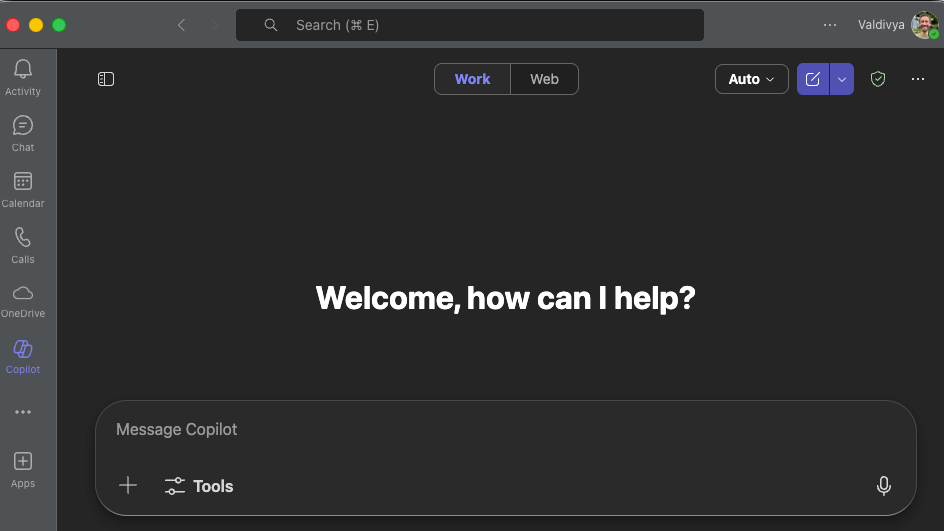
Last year, I took a deep dive into Microsoft Teams to lead a transition from Slack and Zoom. Beyond learning the tools, it was a lesson in change management to transform how people work.
Slack and Zoom had been the primary tools for nearly a decade. The goal was to consolidate tooling, reduce licensing costs, and unlock the full value of Microsoft 365 Copilot.
By eliminating paid Slack and Zoom licenses and consolidating into Teams, the organization freed up roughly $40k per year. That savings was reinvested directly into Microsoft 365 Copilot licenses for the team. We also reduced operational overhead by managing identity, security, meetings, chat, files, and AI access entirely through Microsoft authentication and administration.
But the real work wasn’t just learning the new tool. The challenge was helping people let go of what’s comfortable and trust that the new system will support real work.
Like many people in the small business world, my exposure to Microsoft Teams before this project was limited to organizations where it was the only approved chat and messaging platform. As a Mac user, my experience historically had been rough: slow performance and instability. A lot of us were very skeptical of the move.
The catalyst for this move was Microsoft’s Copilot AI, which could actually leverage organizational context.
Microsoft’s approach to grounding Copilot in an organization’s own data, enforcing permissions through Microsoft Graph, and clearly stating that customer data is not used to train the underlying models created a compelling offering. AI is only as useful as the context it can see, and scattered tools make shared context harder to build and maintain.
For organizations already invested in Microsoft, adding parallel systems for chat, meetings, files, and AI may look appealing in isolation, but it increases fragmentation. In constrained environments with limited IT capacity, that tradeoff matters.
We partnered with Stephen Rose and Michelle Boyd early in this initiative. They brought deep knowledge of Microsoft Teams and Copilot capabilities, which helped accelerate early decision‑making and avoid common pitfalls. I worked hands‑on with leadership and the team to manage the change, and make the transition actually stick.
The result we achieved
Over 100 users and more than 120 channels migrated in under three months, including a year of channel history. The team continued working without missing a beat.
As a small business, that speed was intentional.
We made an explicit decision not to run Slack, Zoom, and Teams in parallel for an extended period. Instead, we focused first on executive leadership and management, getting the highest levels of the organization actively using Teams and Copilot before expanding outward. Once leaders were operating in the new system, we pulled additional groups in on a clear cadence and flipped them over quickly.
To support adoption, we held daily office hours. I brought my own lessons learned and created a forum where people could ask questions, troubleshoot together, and learn from each other. There was plenty of frustration and pushback. Things don’t work the same way in Teams as they do in Slack and Zoom. Every tool has gaps and it’s important to acknowledge them as part of any transformation work.
These reactions aren’t unique. In any transition, resistance usually isn’t rejection of the tool. It’s fear of losing momentum and confidence in how work gets done.
A year later, I'm impressed with how Microsoft has addressed many of the usability issues and feature gaps.
Where Teams accelerated AI adoption
Copilot meeting summaries have become the single most valuable feature. Prior to the move, we experimented with Zoom’s AI summaries, but they lacked focus and signal. Copilot does a far better job filtering out chatter and structuring discussions into usable recaps. The ability to chat with Copilot after a meeting to clarify decisions, extract action items, or revisit context has fundamentally changed how I work. I no longer take handwritten notes and have come to rely on Copilot’s summaries instead. It allows me to be fully present in calls.
The meeting facilitator, introduced more recently, has also proven useful. It generates real‑time notes in a Microsoft Loop file, creating a shared artifact that participants can collaborate on during the meeting itself. For organizations that can’t record meetings, this provides a practical alternative. Even when recordings are enabled, having a living document for notes and actions adds value.
More broadly, Teams has been solid where it matters operationally. Editing Loop files directly in channels, sharing Word, PowerPoint, and Excel without friction, running meetings, chatting with Copilot, and managing calendars all in one system reduces cognitive overhead. Outside of email, my operational work now lives primarily in calendar, chat, and Copilot.
There have also been dozens of smaller quality‑of‑life improvements over the past year: better keyboard shortcuts, multi‑account handling, message forwarding with links, and Copilot availability inside channel threads. These little improvements add up for an overall better experience.
Online meetings and calls have been reliable. While Microsoft Teams administration requires real configuration effort to get right, there were no sustained issues with audio, video, connectivity, or external access once the environment was properly set up.
Microsoft still has work to do
Channel conversations continue to be divisive for users coming from Slack. The original post/forum layout made it easy to miss messages and difficult to track what was actually new. Microsoft’s introduction of threaded layouts addresses this. After this feature was released, some users, myself included, had already adapted and preferred the original posts layout. Giving users a choice for their personal layout would be preferable to the current all-or-nothing setup.
Teams also has higher performance demands than Slack or Zoom. On older machines, that difference is noticeable. While performance has improved significantly over time, the transition did accelerate hardware replacement for some users, adding unplanned cost.
Where it still struggles
Channel organization continues to be unintuitive. The sections feature helps, but many users just aren’t going to take the time to configure them. There needs to be a more thoughtful, user-focused layout out of the box.
Notifications are another persistent pain point. With careful default settings and per‑channel customization, Teams can be made workable. But the burden remains on the user to tune the system, and the default experience is just noisy. There remains a disconnect between activity notifications and channel notifications. At times, it feels like you’re having to clear out two notifications for every one you actually receive.
There are clear opportunities to enhance early features.
Channel calendars have the potential to centralize meeting artifacts including recordings and notes in shared SharePoint folders where the entire project team and Copilot can access them. Today, the limitation that channel meetings must invite everyone in the channel reduces their usefulness for many real‑world scenarios.
Copilot channel agents show promise. However, they require explicit mentions and provide limited value at this time. Direct interaction, proactive participation, and better contextual awareness would make them far more useful for day‑to‑day work. Alongside channel meetings, I would love to see these channel agents able to provide shared knowledge across everything related to the channel.
Microsoft’s ongoing work on private channels is encouraging. Earlier limitations forced awkward workarounds that didn’t reflect how organizations actually communicate or are structured. It previously necessitated creating more Teams groups than should be necessary.
Continued Copilot improvement remains the most important thread. Microsoft’s guardrails still make it more conservative than their competitors, but its advantage lies in deep integration across the Microsoft ecosystem. Recent Day 1 access to OpenAI’s ChatGPT 5, 5.1 and 5.2 models was a smart move. The experimentation with model choice using Anthropic’s Claude suggests momentum in the right direction. Without significant improvements, users will find their way to their own personal tools. It’s a really fine line they have to walk.
So, was the move worth it?
Yes. The organization reduced tool sprawl, simplified security, lowered licensing costs, and created a shared, AI‑accessible context for work. Slack and Zoom remain strong products, but for Microsoft‑centric organizations investing in Copilot, Teams usage is a must to get value from Microsoft’s AI.
This transition wasn’t successful because Teams is perfect. It isn’t. It worked because leadership committed to the change, communicated the need, moved decisively, and supported people through the process before, during, and months after the migration was completed.
That’s the real lesson a year later.
If you’re considering a similar move to Microsoft Teams, or any significant operational change, this is the kind of work I help teams navigate: practical, hands-on, and grounded in how people actually work, not how tools are marketed.