
Why I Stopped Typing and Started Talking to AI
As a millennial who grew up on AIM and text-based everything, typing has always been my default — including with AI. So I challenged that. Here's what voice conversations unlocked. · Read more →
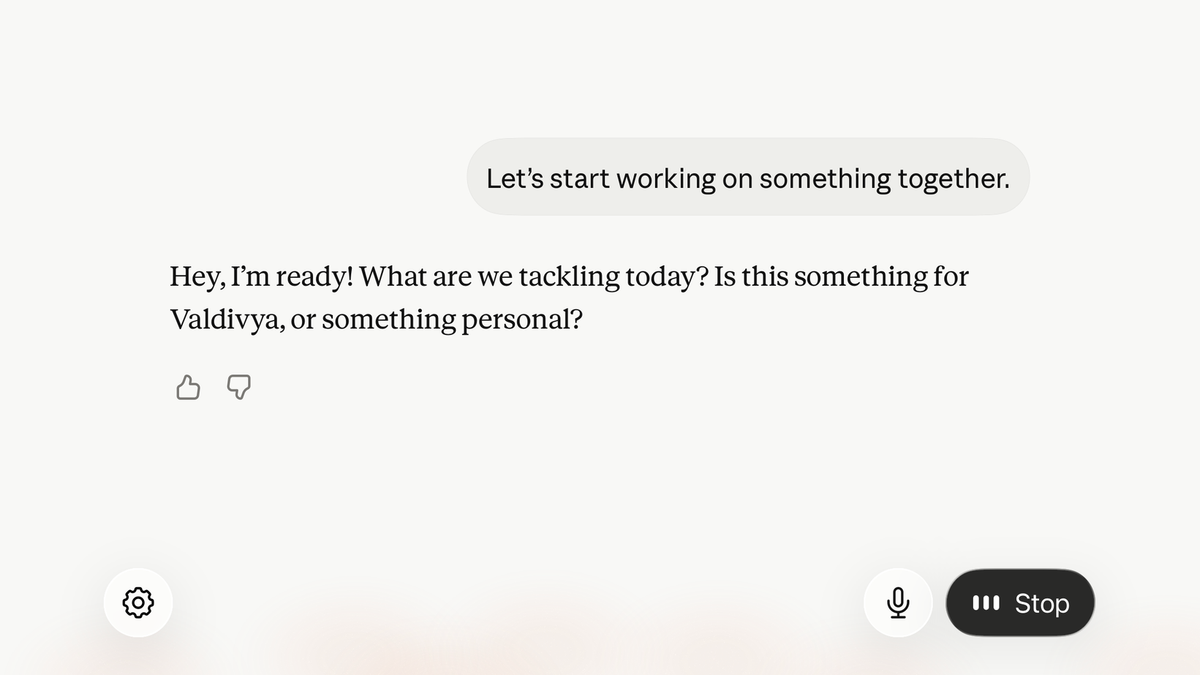
Over the last few weeks, I’ve been pushing myself to explore new ways to interact with Claude and my Copilot 365 chat LLMs. What I’ve been experimenting with is the conversational voice mode to turn my interactions from manual text input to a real voice dialogue. It’s been a more productive interaction than I expected.
To give some background, as a millennial, I am very comfortable in a text conversation based world. I grew up with yahoo messenger, AOL Instant Messenger, ICQ and text based input for early online multiplayer PC games. It’s no secret that millennials and the generations after us have formed many of their closest relationships through text messages. For better or worse. As I’ve developed my career, these interactions have translated into real work-based interactions through slack & teams chats, email, and generally text-focused interactions for client and internal team communication. I’ve continued that thought model forward with my LLM interactions across ChatGPT, Claude, and Copilot.
Whether at my desk or on my phone, my primary input is text. I decided to challenge that default interaction.
One interaction that changed my perception happened on my daily walks. Instead of walking around with my face in my phone, I tried having a conversation with the AI tool. I was looking to explore opportunities to use Cowork features from Copilot and Claude in my daily work. I’ll be honest it felt weird to walk around talking to myself but, from the outside, you would have assumed I was having a conversation with a real person on the phone.
Instead of having my head down in my phone, I got to walk the neighborhood paying more attention and had less potential to trip and fall on my face. The conversation wasn’t exactly natural to have. My flow was more stilted and full of filler words. I do tend to speak thoughtfully in my 1 on 1 interactions but there was still a difference I was noticing. The good news is that unlike a human conversation, it didn’t really matter. I assume with more time in this format, the conversation would flow more naturally too. It really is only in my head that it is much different.
The other part I noticed is that I was doing less editing of my thoughts by speaking more free-flowing in conversation mode. It helped me work through the conversation in a different way rather than trying to find the perfect way to type out a conversation. I had the epiphany that this is a benefit outside of a human interaction where I need to make sure I’m speaking clearly, communicating concisely, and giving space for the other person. Rambling was suddenly ok.
I could also drift from topic to topic and have it remind me to go back to certain ideas later. It really fit the mode of an ultimate personal assistant where I could just pour ideas and thoughts into it and have it help me thoughtfully organize. I’m not thinking about how to write it out, I’m just thinking out loud. It even led to me thinking about how to turn this interaction into this post to share what I’m learning.
This AI conversation gave me real-time feedback on my thoughts on where Claude’s Cowork could fit in to automate parts of my day-to-day work.
Throughout the conversation, the AI pushed back repeatedly on why I was considering automating certain workflows. It would ask me, “Is this something you actually want to automate or are you just exploring?”
We talked about automating time entry from my various time trackers. It asked about my workflows, what tools I use, and how I currently handle this task. A key point it picked up on is I log the time as I complete the task or before I switch. It continued to push back on whether there was actually a problem to automate. That caused me to pause and reflect on my goals with automation. Speaking it out loud rather than typing helped me work to a productive conclusion in a different way. It was less about what the tool was saying back to me but forcing me to communicate it through voice that changed my conclusions.
We discussed tasks during my week that take time. One place is the research I do prior to a new connection call. This is a place where I identified a helpful task to review my calendar each week, check if I’ve met with this person before, and build out my research for me. I was already using AI Chat to do some discovery work but the discussion suggested it could proactively work on it based on my calendar. Again, I found the back and forth in voice more exploratory and interactive than typing with my thumbs and skimming responses.
Another use case for voice interactions is dictating my thoughts and notes from an in-person meeting. Without being super awkward at an in-person coffee, you don’t have the automatic transcription you’d get from a virtual meeting. Instead of writing down the bullet points, I try to leave myself time to dictate notes into the chat tool. It’s another place where rambling thoughts help me reflect on the conversation and capture usable output. It’s an easy way to create my own summary, action items and work through next steps. Be careful here. The dictation mode only allows you 10 minutes of recording. That seems like a lot until you suddenly hit the limit. I also had an awful experience where a technical issue made me lose a full session that I had to repeat. It was really frustrating but hasn’t stopped me from continuing to use this approach.
The side benefit to all of this is finding ways to step away from the desk setup and get outside.
My default mode has been doing basic admin work in email, calendar, and chat while I’m out. I can see exploring this mode while I exercise or work on chores around the house. Instead of churning over something in my head while doing these tasks, I can envision working through the thoughts with AI assistance.
I find this kind of experimentation valuable to continue to learn all angles of how to use these tools.
Understanding how these tools fit MY workflow helps me guide others in finding how they might fit theirs. Working across industries means I'm frequently asked how AI can work for someone's specific situation and I need to think through that quickly and practically.
Your AI Voice Conversation Mode Takeaways
- Download the AI chat app to your phone and enable dictation and conversation mode
- Pick a voice style you actually want to hear
- Get away from your desk, put on headphones, and take a walk. Work through a problem, explore an idea, or summarize your thoughts.
- Try the conversation modes. It feels weird at first but I find the back and forth fits into a reflective practice.
This is the type of perspective I bring to my AI coaching conversations. Because I work through the latest features of these tools myself, I can meet you where you are and help you find the version that works for you.
Whether you’re comfortable in text or conversation with the AI, changing your workflows takes outside perspective to push your boundaries and hold you accountable to change. If you’re interested in finding new paths to leverage AI, reach out to see how we’d structure a level-up plan.