
Assigning Work to Three Agents on My Jira Board
I pulled some of my real work into Jira and assigned it to three agents. What would it take to scale that for a team? · Read the post →
Key Takeaways
- Agents work best when tickets are specific. The Jira Coding Agent turned each ticket into a pull request waiting for review, with all the context living in Jira.
- Results vary by agent and task. The Social Media Writer got stuck in loops, while the same task handed to a Claude-backed agent finished without issue.
- Planning agents are partners. The Work Item Planner produced bare-bones tickets, then filled in the details once asked to review its own work.
- Agents need training and context. Like a new colleague, they need training and context from people before they are helpful.
Over the last week, I continued my work with agents in Jira. This came at a great time after Atlassian continued its focus on agents in Jira at the Team ’26 Europe conference with the major announcement of the Agentic Multiplayer Protocol (AMP). More to come on that in a future post. These announcements for the platform do showcase exactly the capabilities enabled by building directly in Jira.
Everyone, agents and humans, can stay aligned with work within the Atlassian platform at its center.
I dove in deep this last week to pull some of my real work into the Atlassian platform to help simulate a real-world experience of working with agents in Jira.
Development work with the Jira Coding Agent
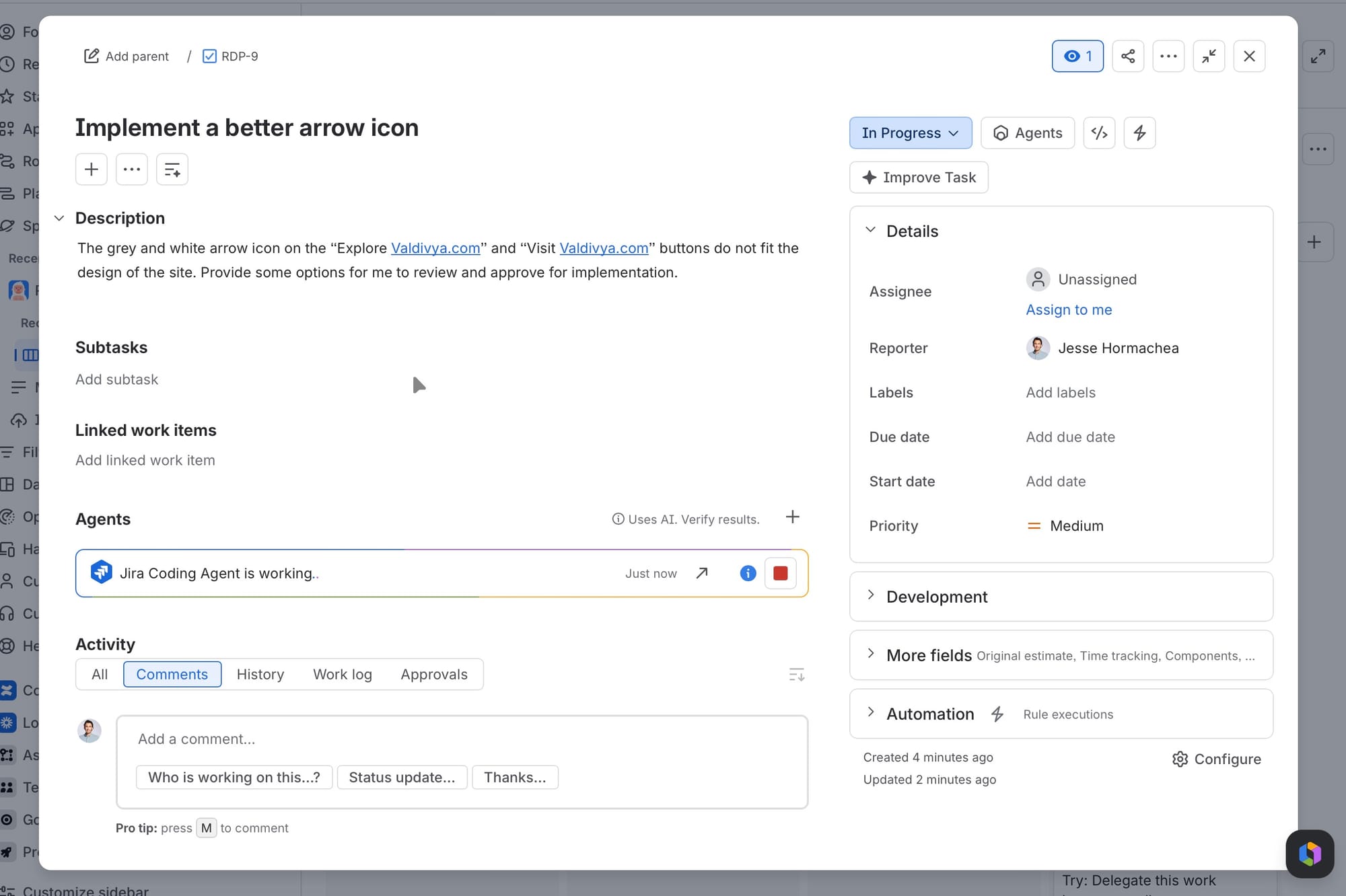
Inevitably, I found that the little proof-of-concept site I built last week had small, hard-to-ignore flaws that I wanted to fix up. This was easily handled by creating tickets for each issue I found and assigning them to the Jira Coding Agent. Since all of the infrastructure was set up from last week’s experiment, if I saw a problem and gave it a task, the pull request was waiting for me to approve and merge into the site. Behind the scenes, the coding agent used Anthropic’s Opus 5, but I could easily select other options when kicking off the task.
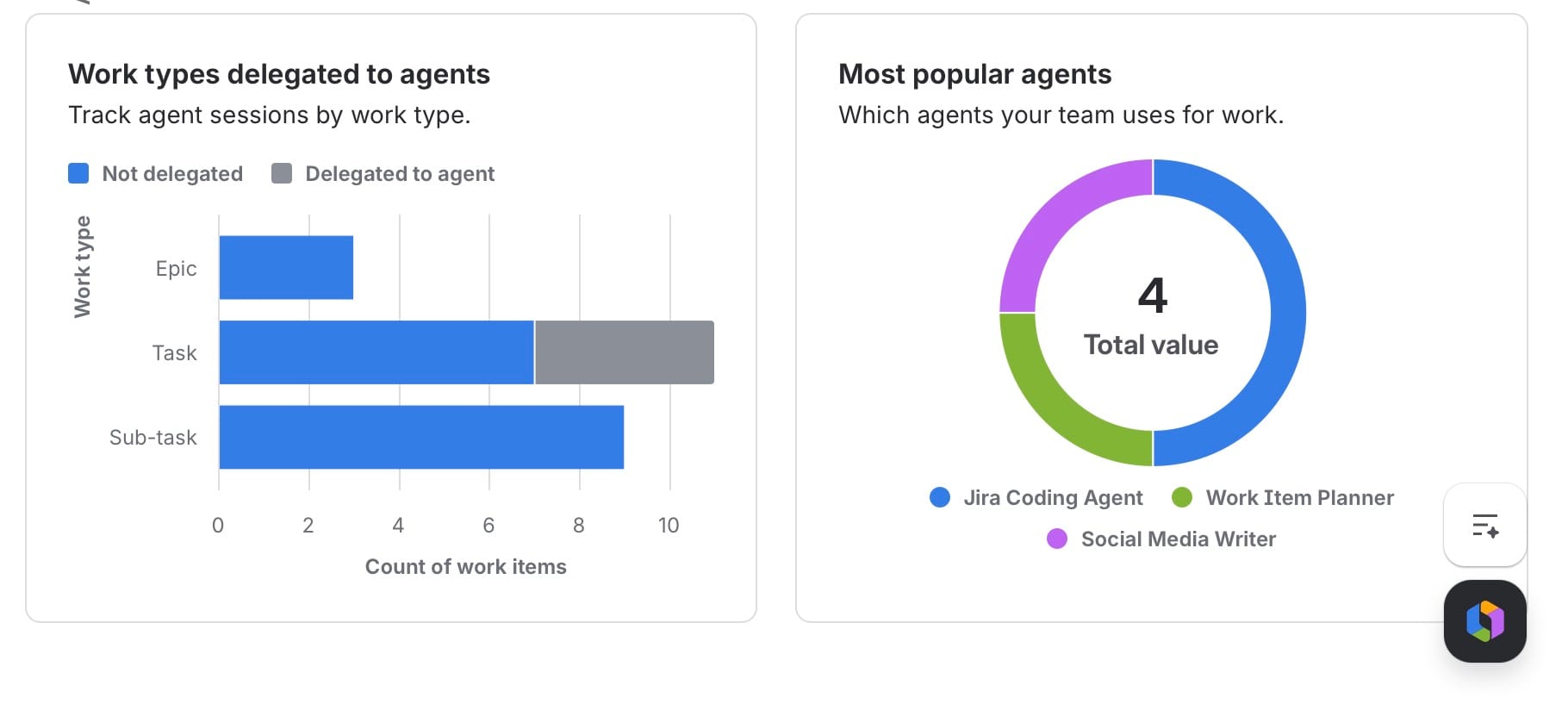
The new project dashboards show statistics on the agent resolution time, velocity, and agent-assisted cycle time. These statistics are clearly set up to allow people to view agent adoption. This information could also be used to better understand which types of tasks agents appear to do well at and which should be avoided.
Check out the full updated site here: https://valdivya.github.io/valdivya-and-rovo/.
Social content with the Social Media Writer Agent
It only seemed appropriate that I look at ways to promote this demo landing page, so I built out a task to promote the page on LinkedIn, X, and Instagram. I gave it barely any additional information from there and let it loose. The agent started by looking for social media guidelines across the Teamwork Graph, but I gave it a heads-up that those didn’t exist and told it to do its best.
It did get stuck in a loop a couple of times trying to update a Confluence page for some reason. It seemed to misinterpret my direction to update the work item comments to add comments to a Confluence page. Once I got it out of that loop, it had a more coherent path forward.
After that, we did some back and forth discussing the options within the Rovo chat window. It generated some social media posts. Then it insisted on creating a Confluence page again. Stuck in that loop again. I let it go ahead and do its thing.
Clearly not the best example since this agent feels a little half-baked. However, it illustrates the ease of assigning specific agents to the appropriate task. A more finely tuned Social Media Writer with more explicit directions, examples of good posts, and more refinement would achieve a better outcome.
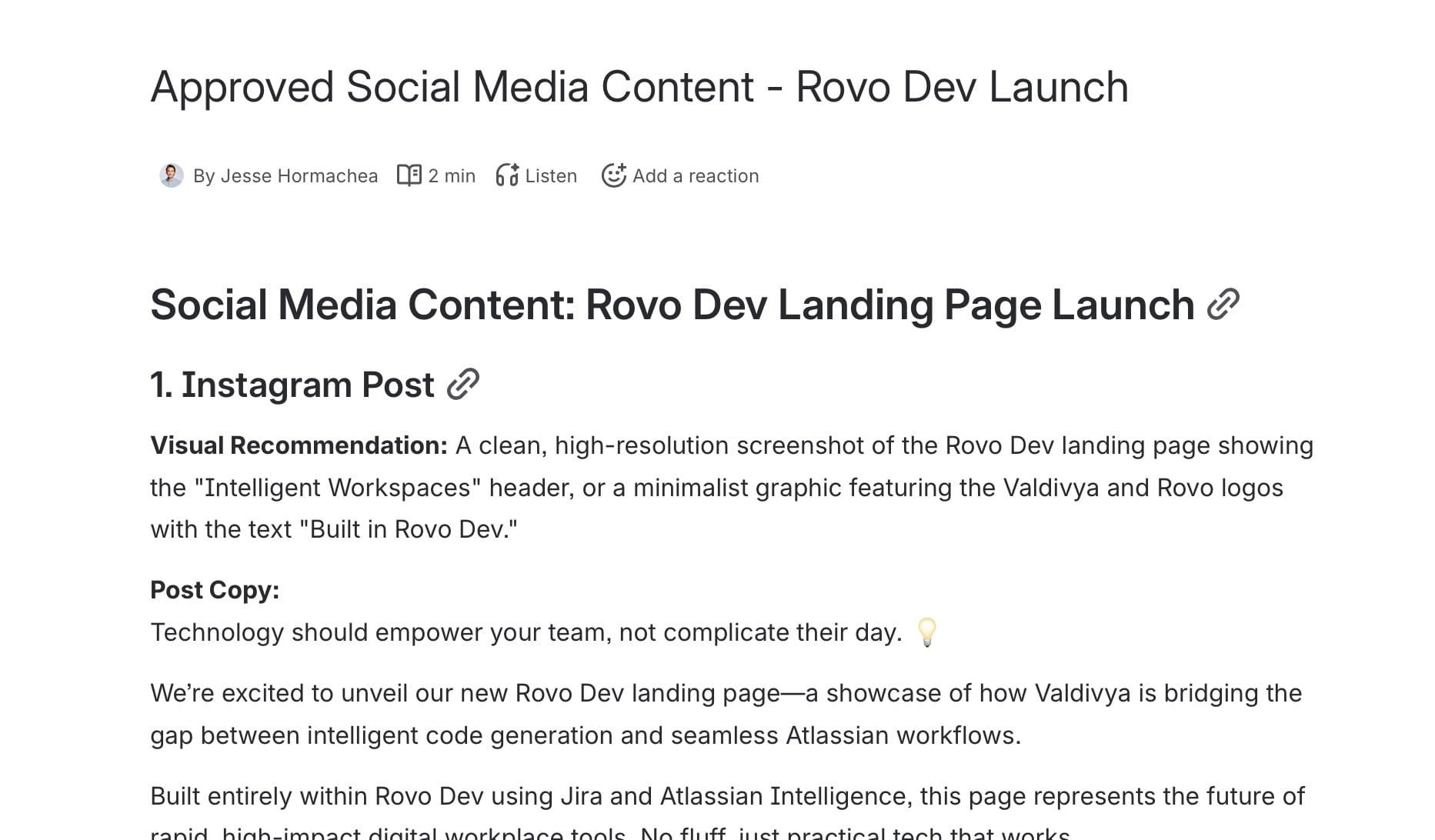
Out of curiosity, I cloned that same task and pointed the Jira Coding Agent with Claude’s models behind the scenes, and it cranked out content without issue. Whether it’s the Jira Coding Agent, Claude, or ChatGPT, this would be an easy task for these more intelligent agents to handle. The automation capabilities are endless when you think about kicking off certain tasks based on creation, completion, or other triggers in workflows and automations. I have had previous clients request the ability to easily kick work to agents to generate release notes and marketing pages based on releasing a version. This is now possible.
Breaking down work with the Work Item Planner Agent
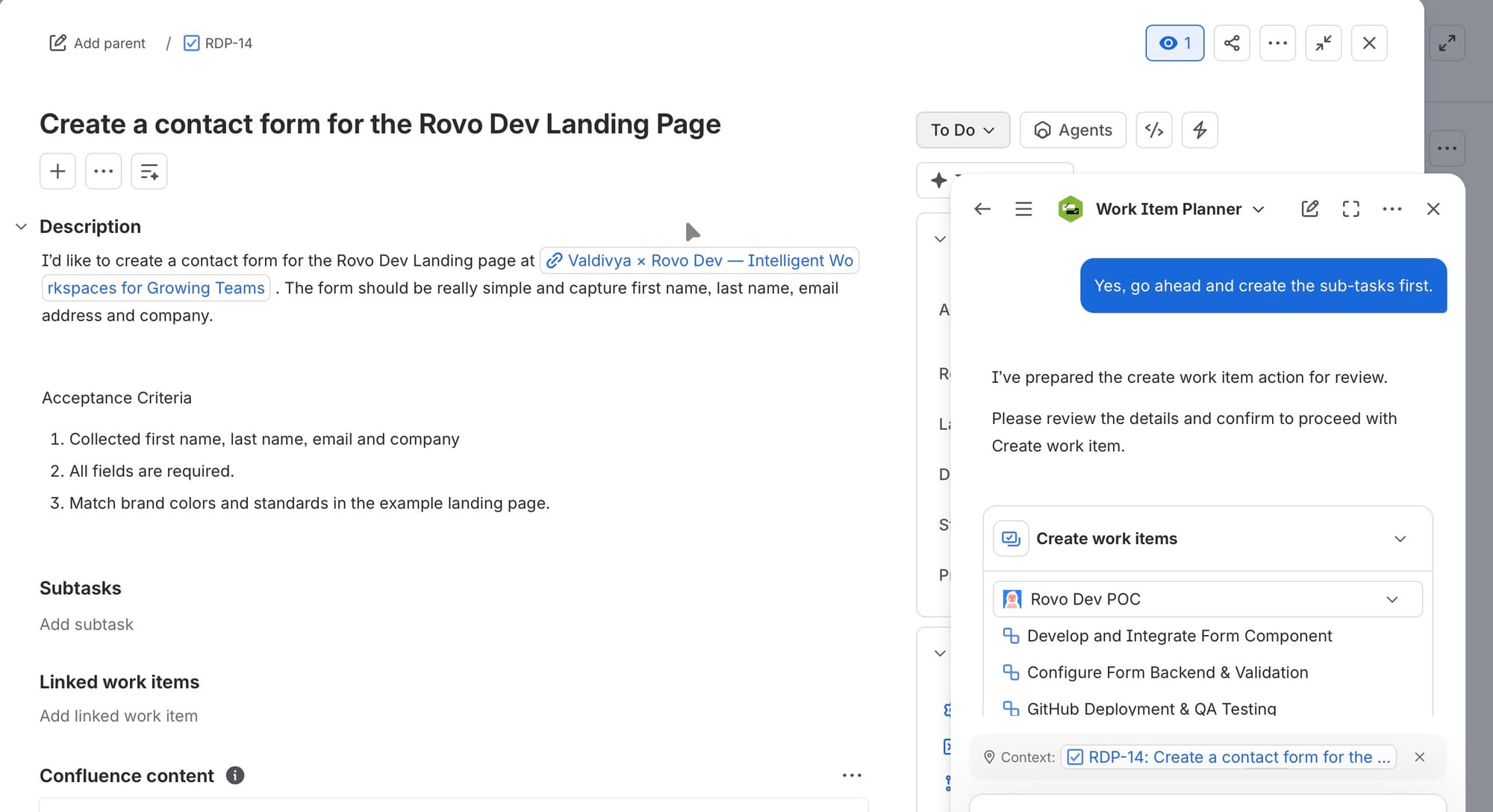
To continue working with my agents, I created a task to add a contact form to my landing page and asked the Work Item Planner to break it down into subtasks for each part of the work. I tasked it with also including tasks for social media announcements, internal communication, and getting an IT help desk up to speed in case support calls come in.
It created some real bare-bones tickets. It would be good enough given the simplicity of the task and if it was pointed at the right agent. I had it review its work and see what we are missing. It suggested descriptions, asked me for some additional information, and populated the work items with the details.
A smart project or product manager could leverage this agent to build better tickets and proactively provide direction. I see it as a partner in developing requirements. It leaves these tasks in a much better spot to kick over to an agent or a colleague.
I have three agents all completing work on the board with all context living in Jira for reporting, visibility across the team, and the ability to organize the team. Agents in Jira are really powerful features to see come to life. While my examples are simple, future-thinking teams can build on these ideas and scale them.
Why context and expertise still matter
The reality of these agents continues to hold true in two ways:
- You still need subject matter expertise. I could stumble along with the Social Media Writer, but a good marketer is going to know how to triage, prompt, and review better than the agent will on its own.
- These examples prove the theory, but there is still a ton of work to do to make this work well for a real organization.
That last point is important. If you look on the surface, these agents can start doing real work. However, you have to train them and feed them context to do a good job. Similar to a new colleague, there is work you will need to do for them to actually be helpful. You also need to continually refine the setup for it to improve. Major issues I’m seeing in the real world are messy documentation and sources of truth, a lack of clear process to follow, and misaligned expectations for these agents. There is still a lot of human-focused work to do. These agents can take care of the busy work.
No organization should tackle this setup on its own. Everyone needs outside expertise that can quickly connect the dots between your process, your systems, and your people. When you’re ready to start this journey, we can begin with a conversation and an assessment of your environment.